OneNote Show Pen Float Toolbar in Horizontal Full Screen, But not Show the Toolbar in Vertical Mode of Surface
2023-09-20 16:43
Question
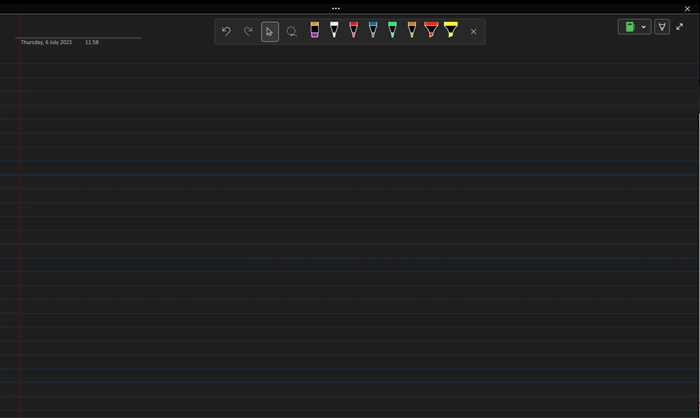
OneNote does not have a pen toolbar in the vertical screen of the Surface, but it does have a pen toolbar in the horizontal screen.This is horizontal mode
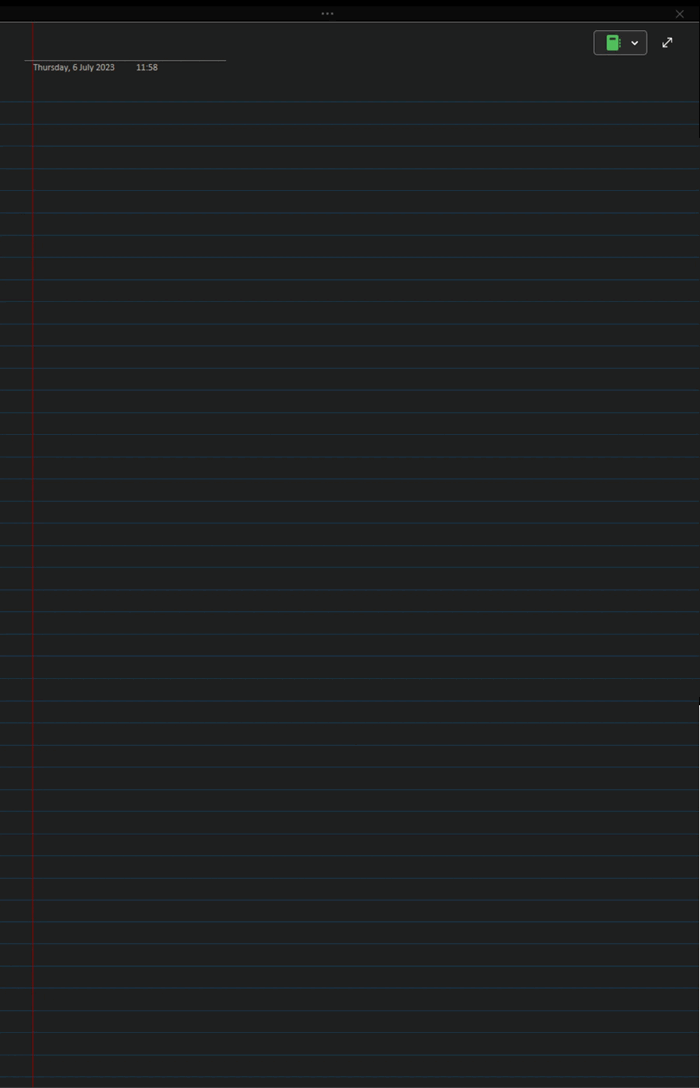
This is vertical mode
Answer
It is indeed a scaling issue.
This looked like it was zoomed.
Right-click on the desktop, open windows “Display Settings”, and set “Change the size of text, apps, and other items” to 100% under “Scale and Layout” for the primary Surface display.
Check and see if you can view it now
| EXE Addins | Cloud Addins | MAC Addins |
Related Documents
- Office OneNote v2606, v2607 freezes when switching to normal pen drawing, and the drawn shapes will appear after respond
- OneNote v2604 Changed the Copy function Ctrl+C from Image format to Plain Text Format
- How to setup the Quick Notes section of OneNote?
- How to fix the OneNote notebook pane fills the entire window and flickering when Collapse Sidebar?
- 2026.3.20 OneNote cannot login today: It doesn't look like you're connected to the Internet. 0x800704cf [Fixed]

