How to Install OneNote Batch for Mac?
2023-01-10 18:37
Since OneNote Batch for Mac is not an installation package downloaded from Apple's official website, SIP needs to be turned off to install OneNote Batch for Mac.
After downloaded the .pkg installation package from the product webpage of "OneNote Batch for Mac", click the .pkg installation package directly, which will pop up a warning window. Can't install.
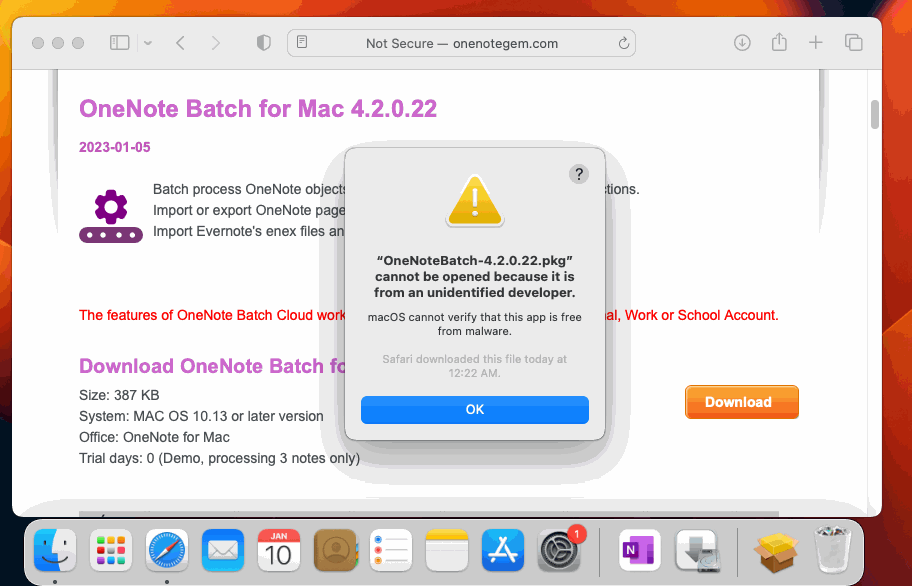
Install OneNote Batch from Website will Pop up a Warning Window
After downloaded the .pkg installation package from the product webpage of "OneNote Batch for Mac", click the .pkg installation package directly, which will pop up a warning window. Can't install.
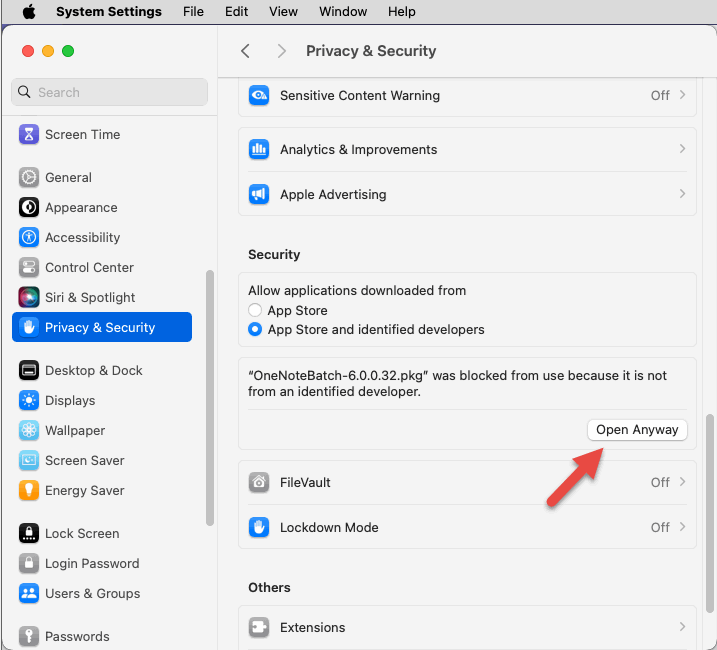
Open Anyway
Open "System Preferences" -> "Security & Privacy" -> "General" tab -> "Allow apps downloaded from:" -> "OneNoteBatch-6.0.0.32.pkg" was blocked from opening because it is not from an identified developer. -> click "Open Anyway" button -> to install.
How to Register
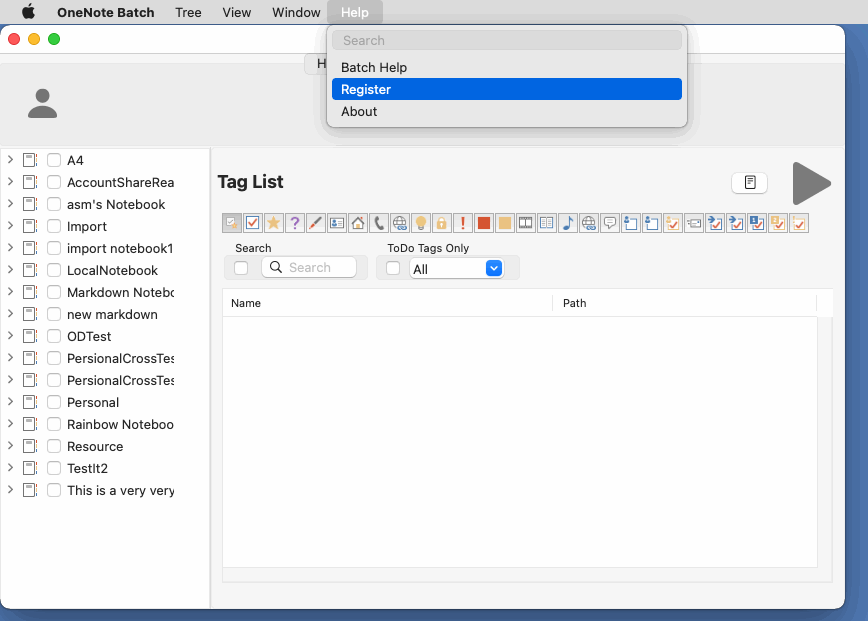
At the top of the macOS desktop is the menu bar, where the main menu for OneNote Batch appears.
After dropping down the "Help" menu, click on the "Register" menu item to register.
Related Documents
- Open .one File in Mac: This file is from a different version of OneNote and we can’t use it
- How to transfer a OneNote notebook from Microsoft Work Account to Personal Account in Mac?
- How to import local .one files into a notebook of Mac OneNote as sections?
- How to Backup Multiple Sections without Mac OneNote installed?
- How to Copy Multiple Sections and Section Groups to the Specified Notebook or Section Group at Once for Mac OneNote?

