How to Check Your Office 365 is 2013 or 2016?
2019-11-26 16:04
What is Office 365?
Office 365 is a Microsoft subscription service.
The Office 365 Service provides a complete set of Windows Office installation packages.
The Office installation package belongs to Click-to-run office.
The Windows Office installation package provided by Office 365 is divided into 2013 and 2016 versions.
Of course, after you subscribe to Office 365, you can use these 2013, 2016 versions at the same time.
(Of course, Microsoft may no longer provide the old version of the download, such as: Office 365 of the 2013 version)
Office 365 is a Microsoft subscription service.
The Office 365 Service provides a complete set of Windows Office installation packages.
The Office installation package belongs to Click-to-run office.
The Windows Office installation package provided by Office 365 is divided into 2013 and 2016 versions.
Of course, after you subscribe to Office 365, you can use these 2013, 2016 versions at the same time.
(Of course, Microsoft may no longer provide the old version of the download, such as: Office 365 of the 2013 version)
Check the Windows Office 365 Suite you have installed is 2013 or 2016
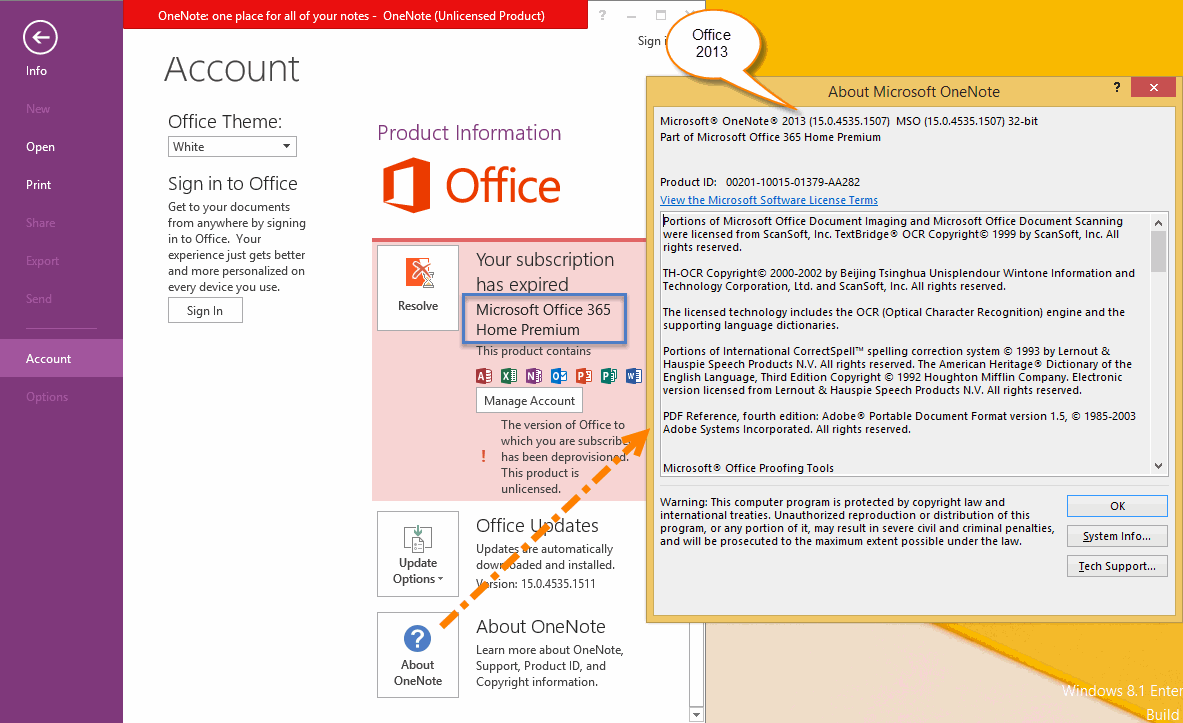
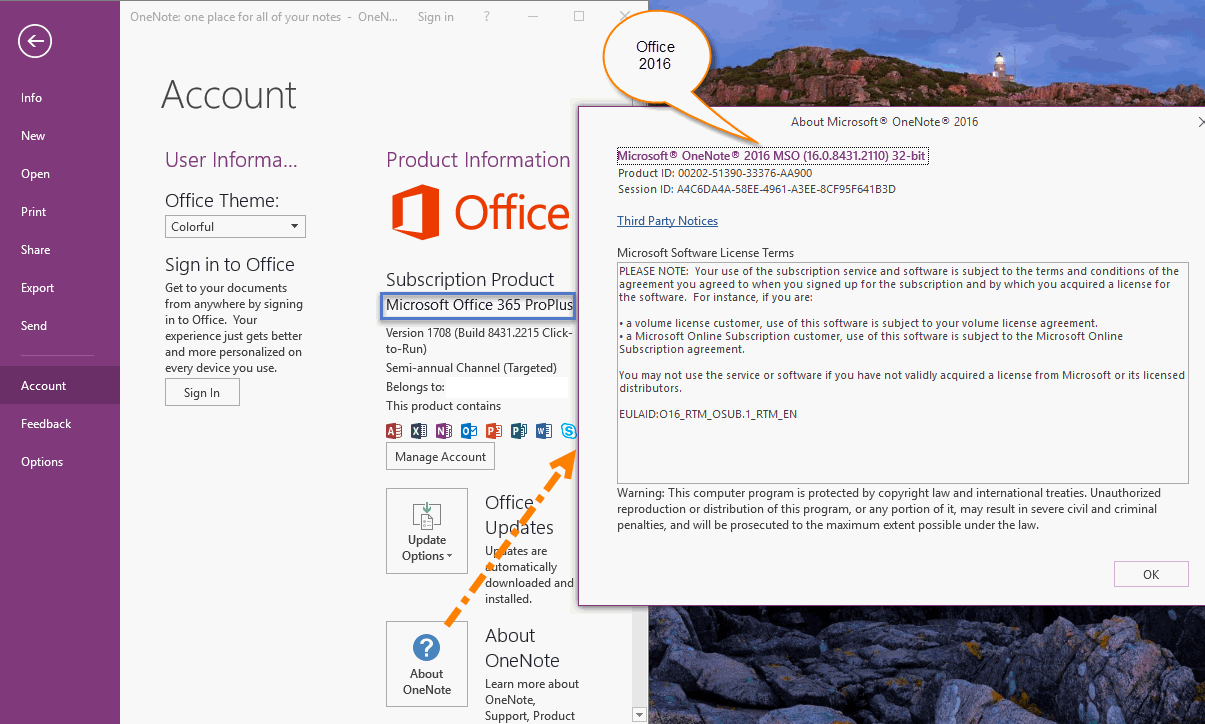
In OneNote, click "File" tab -> "Account" -> "About OneNote" button.
In "About Microsoft OneNote" window, you can find the 2013 or 2016 in the first line.
You also can find if the Office is 32-bit or 64-bit in there.
2013 kernel is 15.0
2016 kernel is 16.0
2013 Version of Office 365
In OneNote, click "File" tab -> "Account" -> "About OneNote" button.
In "About Microsoft OneNote" window, you can find the 2013 or 2016 in the first line.
You also can find if the Office is 32-bit or 64-bit in there.
2013 kernel is 15.0
2016 kernel is 16.0
2013 Version of Office 365
2016 version of Office 365
| EXE Addins | Cloud Addins | MAC Addins |
Related Documents
- How to setup the Quick Notes section of OneNote?
- How to fix the OneNote notebook pane fills the entire window and flickering when Collapse Sidebar?
- How to solve a new page on Android, which is invisible in PC Office OneNote and not synchronized?
- How to fix display clutter on my Surface external display when dragging OneNote from one screen to another?
- How to Hide All Panes include Notebook Pane and Page List Pane in Windows Office OneNote?

