Search
OneNoteGem
  • Home
  • Addins
    • Windows Office Addins >
      • Gem for OneNote
      • OneNote Search Bar
      • OneNote Gem - Favorites
      • OneNote Batch
      • Pons for MindManager and OneNote
      • Mind Map for OneNote
      • Pons for Visio and OneNote
      • Row to OneNote
      • Auto OneNote
      • Favorite to OneNote
      • Bridge for EndNote and OneNote
      • Anchor to OneNote
      • Anchor to OneNote for PDF
      • Bring to OneNote
      • Gem Table for OneNote
    • Windows Cloud Addins >
      • CiteBoard for OneNote
      • OneReader
      • OneMind for Web OneNote
      • OneNote Reminder Cloud
      • OneNote Batch Cloud
    • Mac Addins >
      • Gem Menu for Mac OneNote
      • CiteBoard for OneNote
      • Bring to Mac OneNote
      • OneMind for Mac OneNote
      • OneNote Reminder for Mac
      • OneNote Batch for Mac
      • Fix One for Mac - Fix OneNote Login, Sync Tools
    • Android Addins >
      • CiteBoard for OneNote
      • Fix One for Android - Fix OneNote Login, Sync Tools
    • Cross-Platform Addins >
      • OneNote Reminder
      • OneMind for OneNote
      • CiteBoard for OneNote
      • Fix One - Fix OneNote Login, Sync Tools
    • Markdown Addins >
      • Gem for OneNote
      • One Markdown
    • Mind Map Addins >
      • OneNote Gem - Favorites
      • Pons for MindManager and OneNote
      • Mind Map for OneNote
      • Pons for Visio and OneNote
      • OneMind for OneNote
    • Other Addins >
      • Gem Menu for OneNote UWP
      • One Markdown
      • Clip to OneNote
      • WordNote
      • OneShare
      • Fix One for Windows - Fix OneNote Login, Sync Tools
      • OneNote for Windows 10 Reviver - UWP Reviver
  • Buy
  • Documents
  • FAQs
  • Templates
  • Support
  • Release
  • WordNote
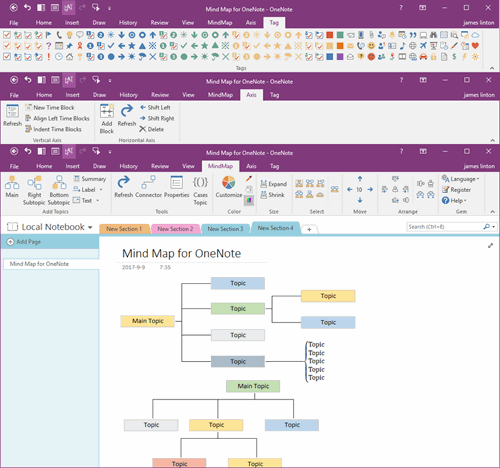
Mind Map for OneNote
 
 
Using OneNote native elements to create Mind Map

2026.11.13 OneNote can't connect to the server. Sync will resume once we connect. You don't need to take any action. Error code: 0xE000006B bbcya

2026-11-13 07:05
 

Question:

On November 13, 2026, this appeared when opening OneNote to sync:
 
OneNote can't connect to the server. Sync will resume once we connect. You don't need to take any action. (Error code: 0xE000006B bbcya)
 
We couldn't sync your notes because the server is busy. We'll try again later. (Error code: 0xE000145C 941t7)
 
How to fix?
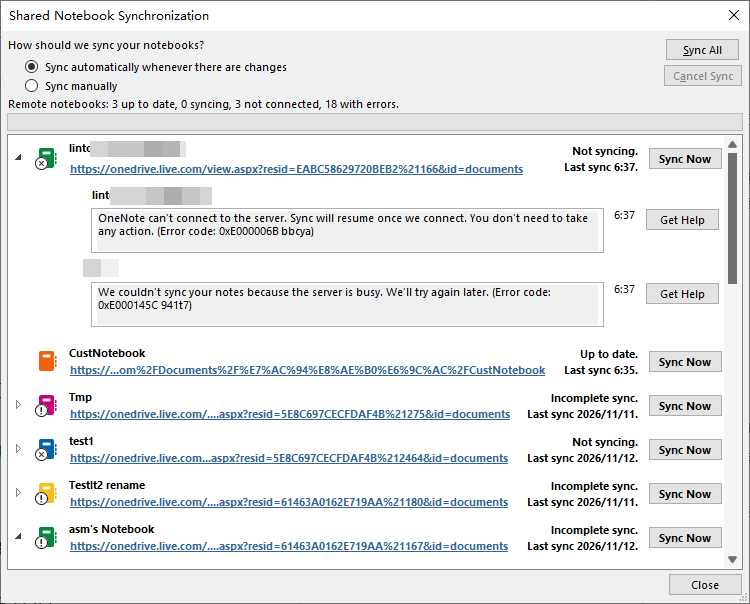
OneNote can't connect to the server. Sync will resume once we connect. You don't need to take any action. (Error code: 0xE000006B bbcya)
 

Answer:

Click to View all Content
 
EXE Addins Cloud Addins MAC Addins

Related Documents

  • 2026.11.13 OneNote We couldn't sync your notes because the server is busy. We'll try again later. (Error code: 0xE000145C
  • Using Emojis in OneNote Notebook Name cause Sync Issues
  • OneNote Section Size Larger than 50 MB can Cause 0xE40200B4 Sync Error
  • OneNote outages: We couldn't sync your notes because the server is busy. Error code: 0xE0001473 5bq4k
  • How OneNote delete a “Content Not Yet Available” page?
Command Line
Tag System
MindMap Add-Ins Comparison
Search Add-Ins Comparison
One Markdown Syntax
Table Formula
Gantt

Gem Menu Templates
Repair OneNote
OneNote Download
English website Chinese website
Mobile Site
Copyright © 2011-2026 Digital GemSoft. OneNoteGem.com All Rights Reserved.