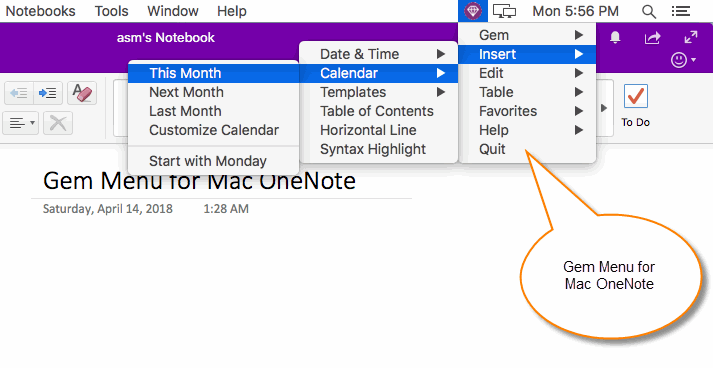
 Gem Menu for Mac OneNote
21.1.0.194
2026-10-16
A toolkit (add-on) for Mac OneNote. 6 menus 70+ features collected now.
Supports Apple Silicon M-series chips
A toolkit (add-on) for Mac OneNote. 6 menus 70+ features collected now.
Supports Apple Silicon M-series chips
Gem for OneNote
79.0.0.365
2026-10-09
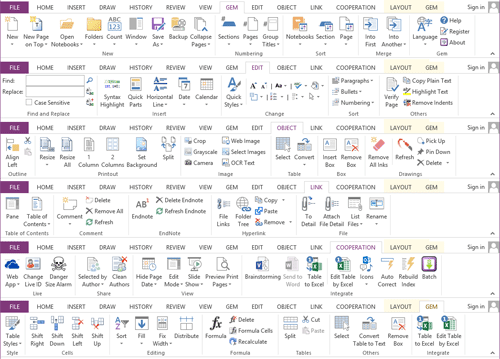
Gem is a toolkit (add-in) for Windows Office OneNote 2024, 2021, 2016, 2013, 2010. 6 tabs 560+ features collected now.
Gem is a toolkit (add-in) for Windows Office OneNote 2024, 2021, 2016, 2013, 2010. 6 tabs 560+ features collected now.
NEW:
Gem Menu for OneNote UWP
25.2.0.55
2026-08-05
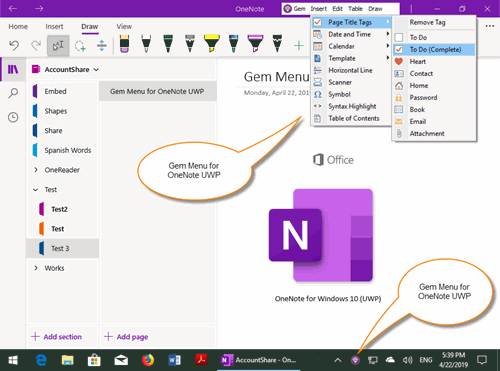
A toolkit (add-on) for OneNote for Windows 10 (UWP). 5 menus 80+ features collected now.
A toolkit (add-on) for OneNote for Windows 10 (UWP). 5 menus 80+ features collected now.
| 2026-10-19 Update: OneNote Reminder 17.0.0.82 |
 OneNote Reminder
17.0.0.82
2026-10-19
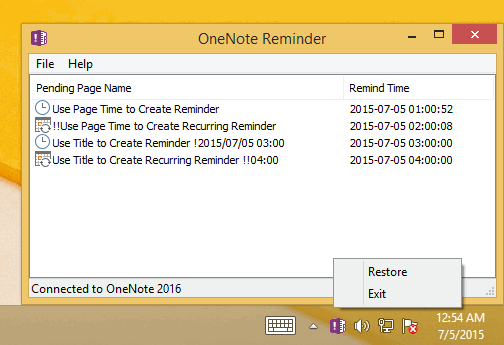
Reminder for Windows OneNote 2024, 2021, 2016, 2013, 2010, Windows OneNote Web, Mac OneNote
Reminder for Windows OneNote 2024, 2021, 2016, 2013, 2010, Windows OneNote Web, Mac OneNote
-
Use OneNote page time or format ti
tle to create OneNote page reminder -
Append format date time end of Tag to create To-Do or Tag Reminder. -
Notify on Other OneNote Users Change Page in Collaboration -
Desktop sticky note with reminder. -
Send Alert Message to Your Outlook Email. -
Hermann Ebbinghaus Learning Curve to Recite Words.
 OneNote Batch Cloud
8.1.0.20
2026-08-24
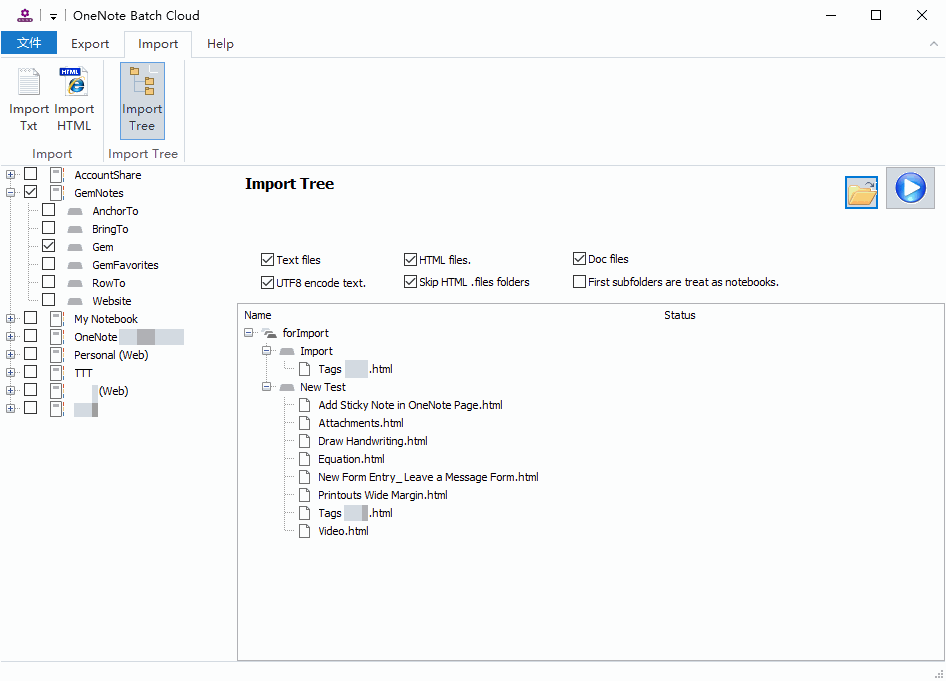
OneNote Batch Cloud batch process OneNote objects in pages of Web OneNote. Import or export OneNote pages.
OneNote Batch Cloud batch process OneNote objects in pages of Web OneNote. Import or export OneNote pages.
 OneNote Gem - Favorites
37.0.0.148

2026-08-11
OneNote Gem – Favorites is the 4th tab in Windows OneNote we call it "Favorites" tab. This Add-Ins basically used for quick navigation. Favorite Tags.
OneNote Gem – Favorites is the 4th tab in Windows OneNote we call it "Favorites" tab. This Add-Ins basically used for quick navigation. Favorite Tags.
Navigation Features:
Keyword Tags, Calendar View, Page Calendar, Page-level Tags, F2 Keyboard Bookmark, Daily, Journal, Mind Map Tools 11.1
NEW: Auto Scroll to Current Section in Notebook Tree Pane (Make the current section visible)
Keyword Tags, Calendar View, Page Calendar, Page-level Tags, F2 Keyboard Bookmark, Daily, Journal, Mind Map Tools 11.1
NEW: Auto Scroll to Current Section in Notebook Tree Pane (Make the current section visible)
 OneNote Batch
40.3.0.223

2026-08-01
Designed to handle all pages in the notebooks or sections for OneNote 2024, 2010, 2013, 2016, 2021. Import and Export.
Designed to handle all pages in the notebooks or sections for OneNote 2024, 2010, 2013, 2016, 2021. Import and Export.
 Pons for MindManager and OneNote
20.2.25.78
2026-07-21
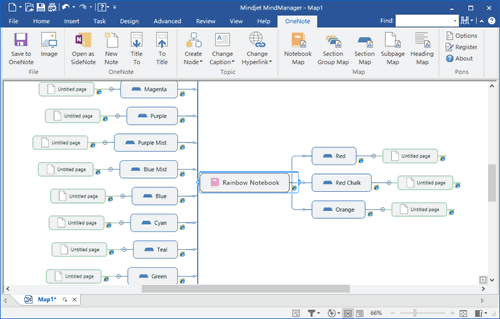
Pons is a bridge between MindManager and OneNote. Pons create current OneNote object nodes in MindManager mind map save and replace mind map from Mindjet MindMa
Pons is a bridge between MindManager and OneNote. Pons create current OneNote object nodes in MindManager mind map save and replace mind map from Mindjet MindMa
NEW: Release to support MindManager 2025
 Mind Map for OneNote
12.6.0.79
2026-07-13
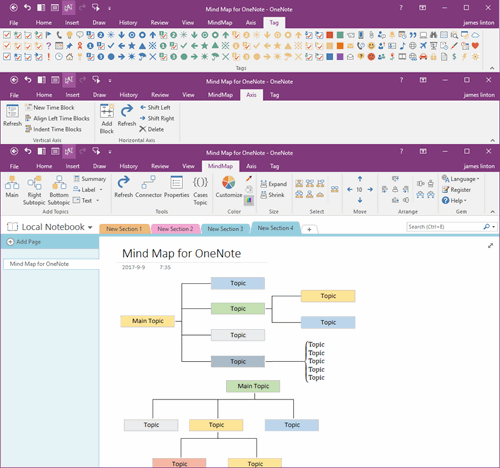
Using native elements to create Mind Map in Windows Office OneNote. Time Axis, All OneNote 138 Tags.
Using native elements to create Mind Map in Windows Office OneNote. Time Axis, All OneNote 138 Tags.
New:
Release Mind Map for OneNote 2024
Release Mind Map for OneNote 2024
 OneNote Batch for Mac
10.2.0.70
2026-07-07
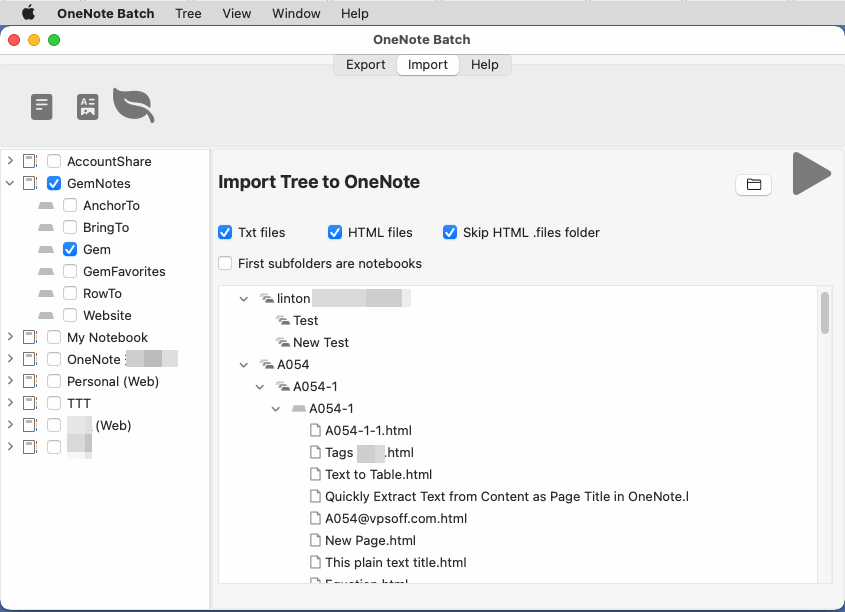
Batch process OneNote objects in pages of all notebooks or selected sections. Import Evernote or export OneNote pages.
Batch process OneNote objects in pages of all notebooks or selected sections. Import Evernote or export OneNote pages.
Export & Import Txt, Export to HTML, Import HTML, Import Tree, Import Mac Notes, Import Google Keep, Import Evernote enex File, Import Evernote, Notion's HTML Files, Import Tree improve support Evernote, Notion's HTML files
NEW: Sections size, Copy multiple sections, Backup, Restore (Import .one Files), Transfer notebook between accounts, Open unknown .one file
NEW: Sections size, Copy multiple sections, Backup, Restore (Import .one Files), Transfer notebook between accounts, Open unknown .one file
 OneMind for OneNote
2.10.0.26
2026-04-18
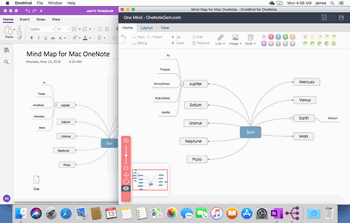
A cross-platform mind map add-in for OneNote. Create and edit Mind Map for cross-platform OneNote.
A cross-platform mind map add-in for OneNote. Create and edit Mind Map for cross-platform OneNote.
1. Mind map 2. Tree map 3. Fish bone map 4. Right map 5 Structure map 6. Galaxy map
 Row to OneNote
15.0.0.51
2025-11-17
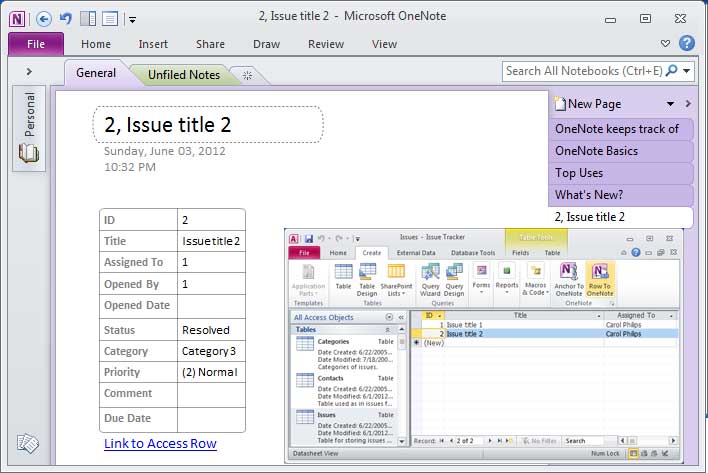
Reorganize Microsoft Access Excel and Project row as a table to new OneNote page and linked back to the row.
Send row as a table to an OneNote new page. Click on the link to Row will go back to the row.
NEW: Release 2024 add-in to support OneNote 2024
Reorganize Microsoft Access Excel and Project row as a table to new OneNote page and li
Send row as a table to an OneNote new page. Click on the li
NEW: Release 2024 add-in to support OneNote 2024
 Anchor to OneNote for PDF
7.0.0.26
2025-09-29
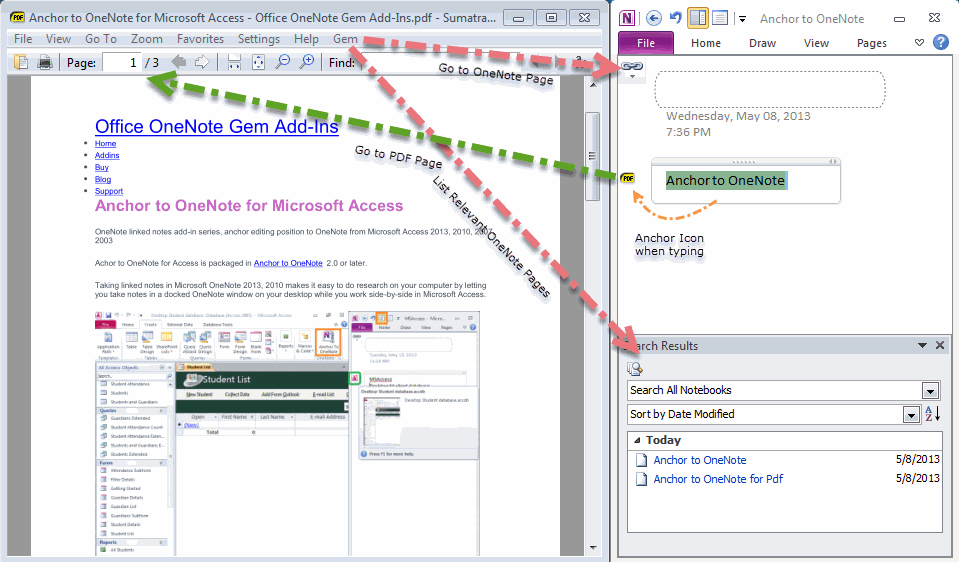
Dock OneNote to desktop use OneNote to take notes or make comments for PDF file in PDF reader.
Dock OneNote to desktop use OneNote to take notes or make comments for PDF file in PDF reader.
This is an add-Ins for SumatraPDF Reader. The installation package contains the SumatraPDF reader.
NEW:
Release Anchor to OneNote for PDF 2024
NEW:
Release Anchor to OneNote for PDF 2024
 Favorite to OneNote
17.0.0.67
2025-09-08
Bookmark web page hyperlink to OneNote.These add-ins extend browsers bookmarks bar.
Bookmark web page hyperlink to OneNote.These add-ins extend browsers bookmarks bar.
We can collect and organize a lot of the links with OneNote now.
Release Favorite to OneNote 2024,
Add Favorite to OneNote for Edge.
- Bookmark to OneNote series Add-Ins
- Image to OneNote series Add-Ins.
-
Mht to OneNote series Add-Ins. (Purpose:
- View web page offline without lose format in OneNote
- View animate GIF image in OneNote )
Release Favorite to OneNote 2024,
Add Favorite to OneNote for Edge.
 Bring to OneNote
18.1.0.111
2025-03-07
Bring text and images to OneNote from Word Excel PowerPoint Visio Chrome Edge Firefox Internet Explorer Windows Explorer and Acrobat. Support local notebook don'
Bring text and images to OneNote from Word Excel PowerPoint Visio Chrome Edge Firefox Internet Explorer Windows Explorer and Acrobat. Support local notebook don'
Send to OneNote series Add-Ins.
NEW: Update Bring to OneNote for Firefox to support Firefox v127
NEW: Update Bring to OneNote for Firefox to support Firefox v127
Anchor to OneNote
17.0.0.98
2024-08-12
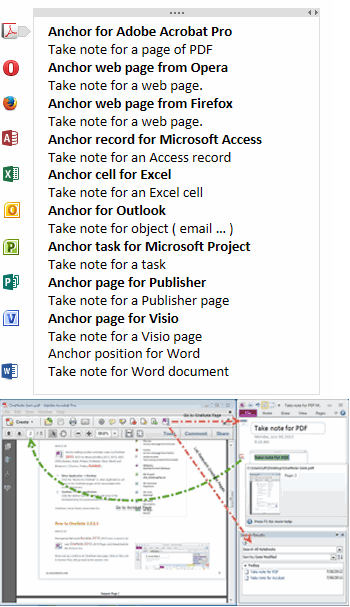
OneNote Linked Notes. Dock OneNote to desktop,
OneNote Linked Notes. Dock OneNote to desktop,
anchor editing position and take notes or comments by OneNote for Microsoft Office (Access Excel Outlook PowerPoint Project Publisher Visio Word) and Browsers (Firefox) and PDF (Adobe Acrobat Pro & DC Adobe Reader & DC ).
OneNote linked Notes series Add-Ins.
NEW: Update Anchor to OneNote for Firefox to support Firefox v127
-
Other Application -> OneNote
Clicking the "Anchor to OneNote" in other applications will jump to the OneNote pages which are associated with the current document. -
OneNote -> Other Application
Clicking the anchor icon in OneNote will jump to the corresponding document position in other applications.
OneNote li
NEW: Update Anchor to OneNote for Firefox to support Firefox v127
 OneNote Search Bar
7.3.0.36
2024-05-10
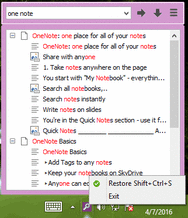
Search and List Paragraphs Image OCR Text title without running OneNote. Search notebooks on OneDrive.
Search and List Paragraphs Image OCR Text ti
 Auto OneNote
3.9.0.36
2024-05-10
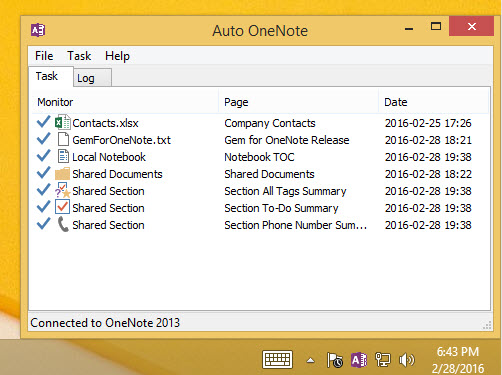
Monitor Windows Folder Text File Excel File without Run OneNote. Auto-Refresh TOC Auto-Refresh Tag Summary (Specify one or all type tags).
Monitor Windows Folder Text File Excel File without Run OneNote. Auto-Refresh TOC Auto-Refresh Tag Summary (Specify one or all type tags).
Auto set input characters to default font (defeat always Calibri).
New: Specify Asian Text Font and non-Asian Text Font. After edited and left the page It will set the Asian Text and non-Asian Text to difference font.
New: Specify Asian Text Font and non-Asian Text Font. After edited and left the page It will set the Asian Text and non-Asian Text to difference font.
Pons for Visio and OneNote
10.3.0.31
2024-05-09
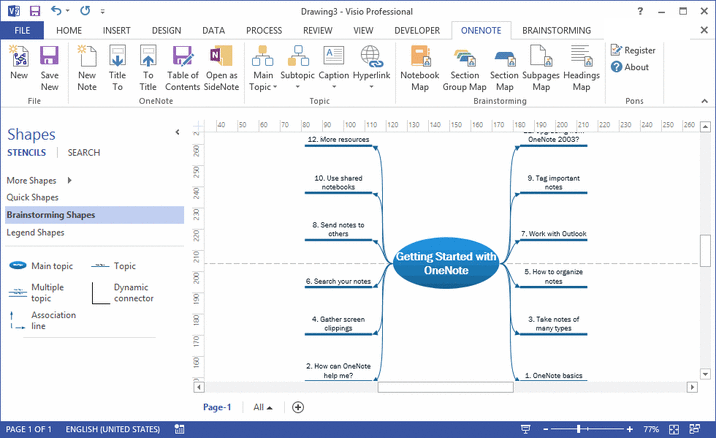
Pons is a bridge between Visio and OneNote. Pons create current OneNote object as main topic or subtopic with link in Visio Brainstorming Diagram.
Pons is a bridge between Visio and OneNote. Pons create current OneNote object as main topic or subtopic with link in Visio Brainstorming Diagram.
NEW: Release 2024 add-in to support OneNote 2024
 Bridge for EndNote and OneNote
7.3.0.31
2024-05-09
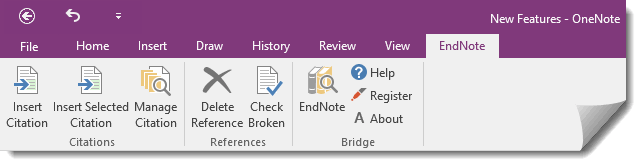
Integrate Thomson Reuters EndNote X7 X8 X9, 20, 21, 2025 with OneNote Cite While You Write [CWYW] for OneNote
Integrate Thomson Reuters EndNote X7 X8 X9, 20, 21, 2025 with OneNote Cite While You Write [CWYW] for OneNote
New: Release Bridge for EndNote and OneNote 2024
 OneShare
2023-11-15
Share OneNote single page, share OneNote multiple pages on webpage
Share OneNote single page, share OneNote multiple pages on webpage
- Share OneNote single page.
- Share OneNote multiple pages.
- Create homepage for shared pages.
 WordNote
9.3.0.23
2022-01-04
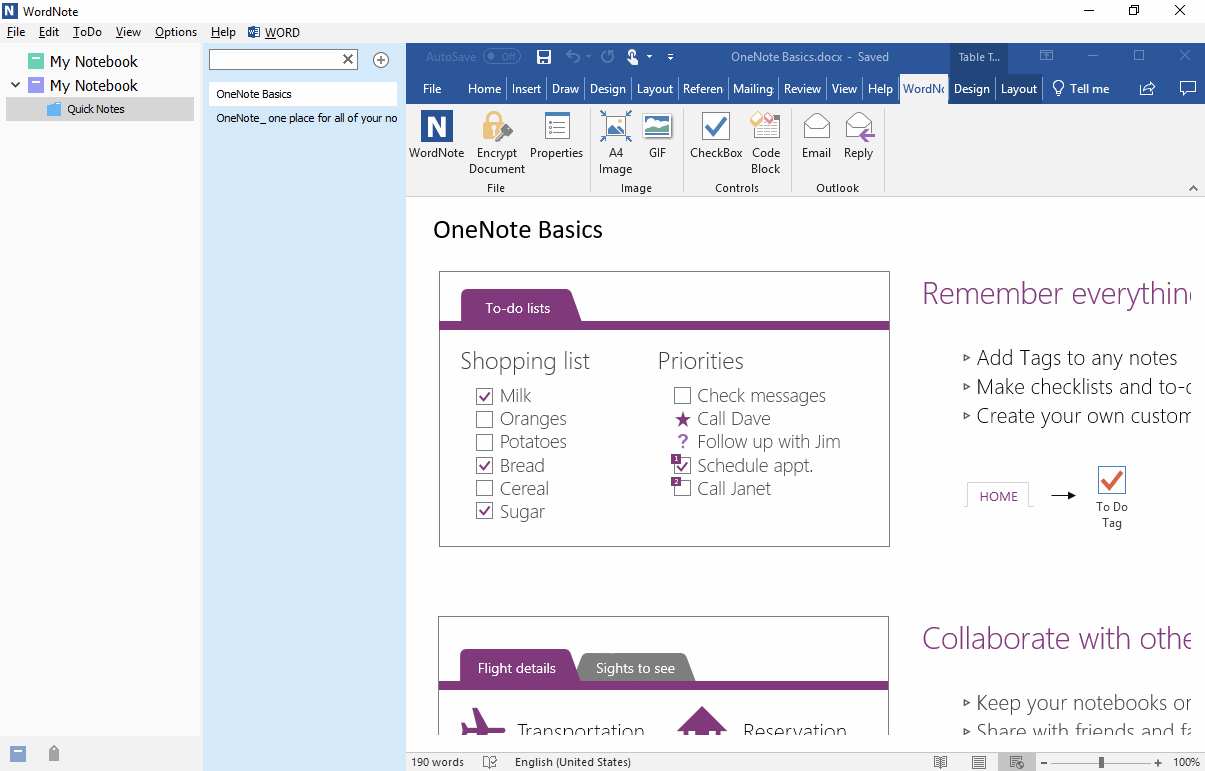
Office Word Add-in Outside. Manage (Create Edit Delete Search) your Office Word documents. Take note with Microsoft Office Word.
Office Word Add-in Outside. Manage (Create Edit Delete Search) your Office Word documents. Take note with Microsoft Office Word.
 One Markdown
4.1.0.15
2021-10-16
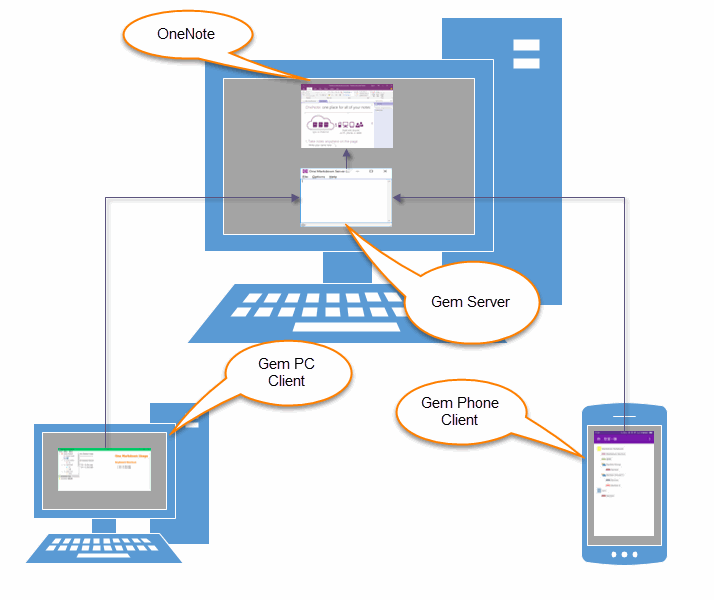
One Markdown is a Markdown editor suite for OneNote. It connect to OneNote and sync notes through LAN.
One Markdown is a Markdown editor suite for OneNote. It connect to OneNote and sync notes through LAN.
One Markdown suite include:
NEW: Checkbox Equation Flow Chart Table Table of Contents Jump inside Page Syntax Highlight
- One Markdown Server
- One Markdown for OneNote (Inside OneNote)
- One Markdown for Windows (Windows Editor Client)
- One Markdown for Android (Android Editor Client)
- One Markdown for IPhone (IPhone Editor Client)
NEW: Checkbox Equation Flow Chart Table Table of Contents Jump inside Page Syntax Highlight