How to Change UI Language of Android OneNote?
⚠️The Android version of OneNote does not support language switching, so we have to rely on the phone's built-in language switching.
(Note: After switching languages, the entire phone's language will change.)
Steps:
1. First, use the phone's system function, tap Settings to enter the settings interface.
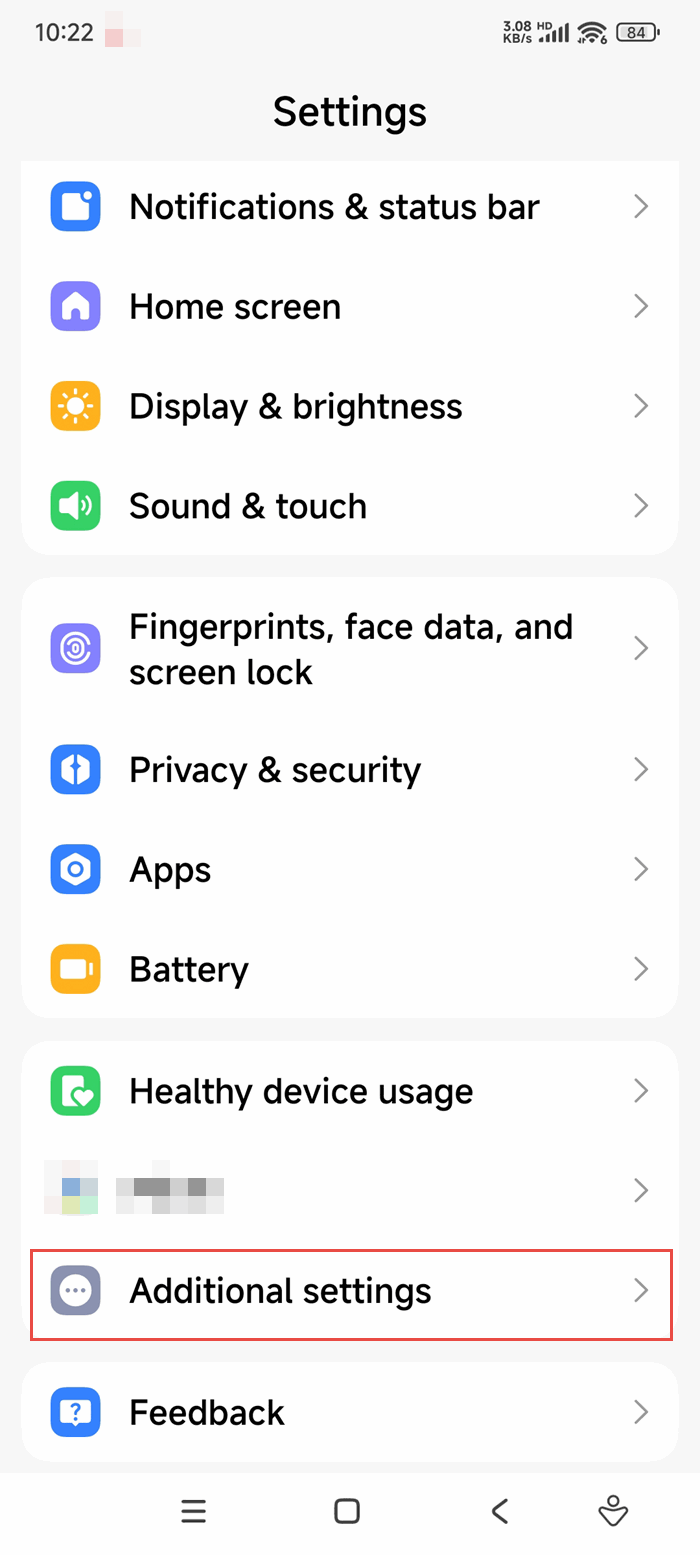
2. Find the "Languages & input" option
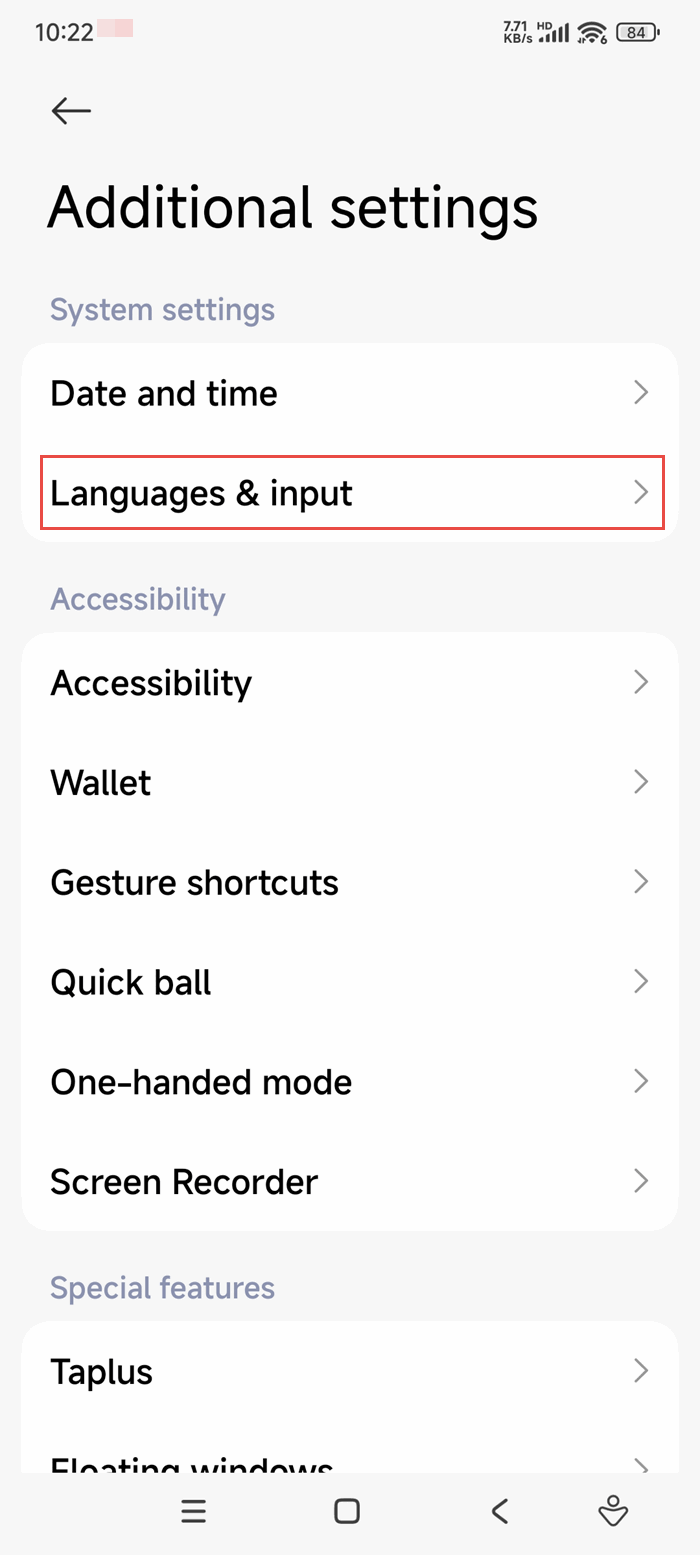
2. Find the "Languages & input" option
3. Choose the Language
In "Languages & input", choose the language.
Then, reopen OneNote, the OneNote UI will change to the language.