How to Check the Storage Occupied by Android OneNote?
My phone's storage is almost full, and I want to see how much space OneNote is actually occupying, but after searching through OneNote, I just can't find the "Storage Usage" option.
⚠️The OneNote Android version doesn't provide this viewing portal; you need to check it in your phone's system settings.
Steps:
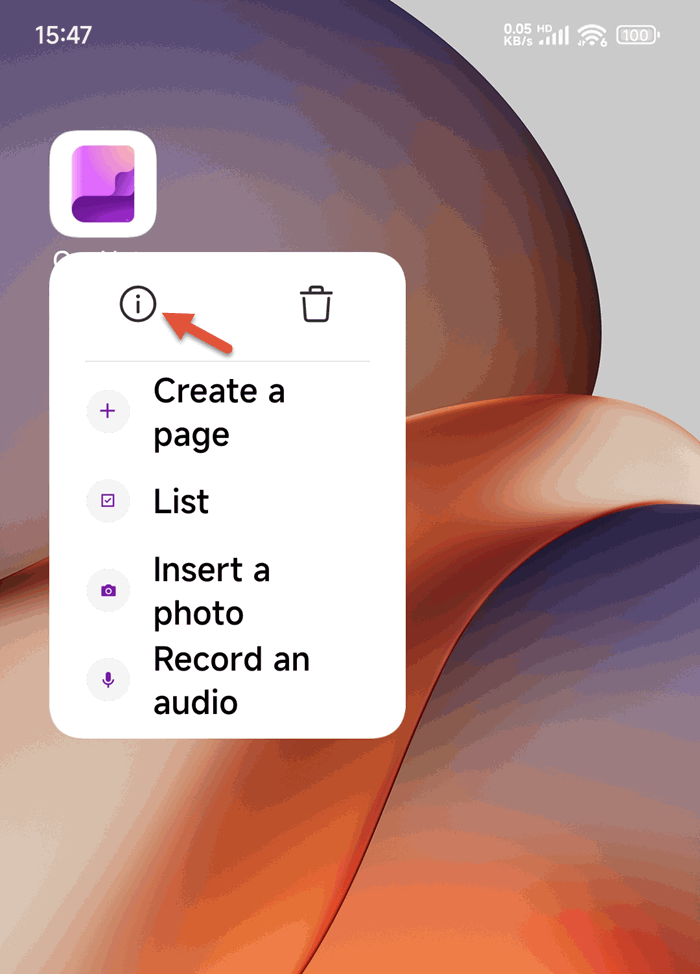
1. At first, use the phone's system function, long-press OneNote Android icon on desktop to bring up the right-click menu. Click "!" Information icon.
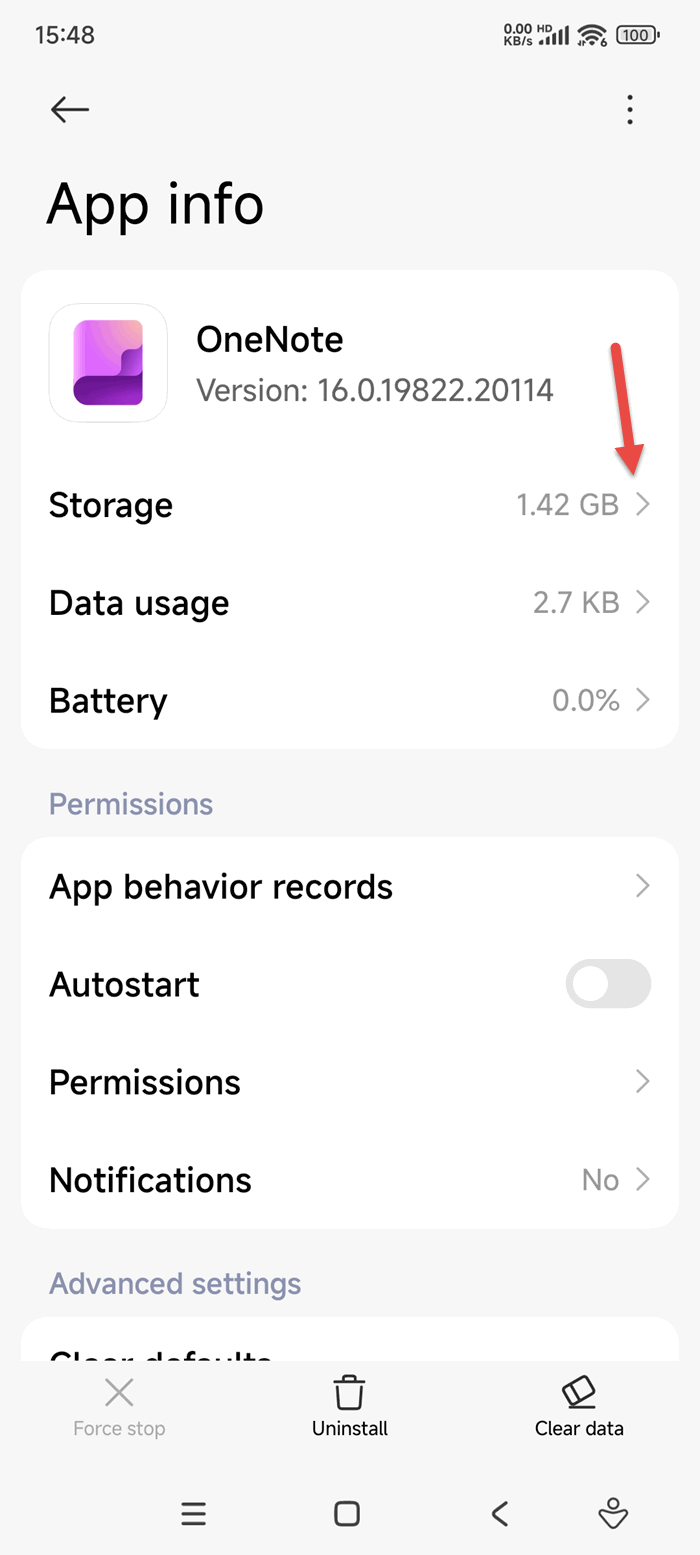
2. Next, click to enter the App Info interface, find Storage, and click it.
⚠️ Note that some Android phones will directly display the current storage usage, while others will not. Clicking 'Storage' item to see the current usage)
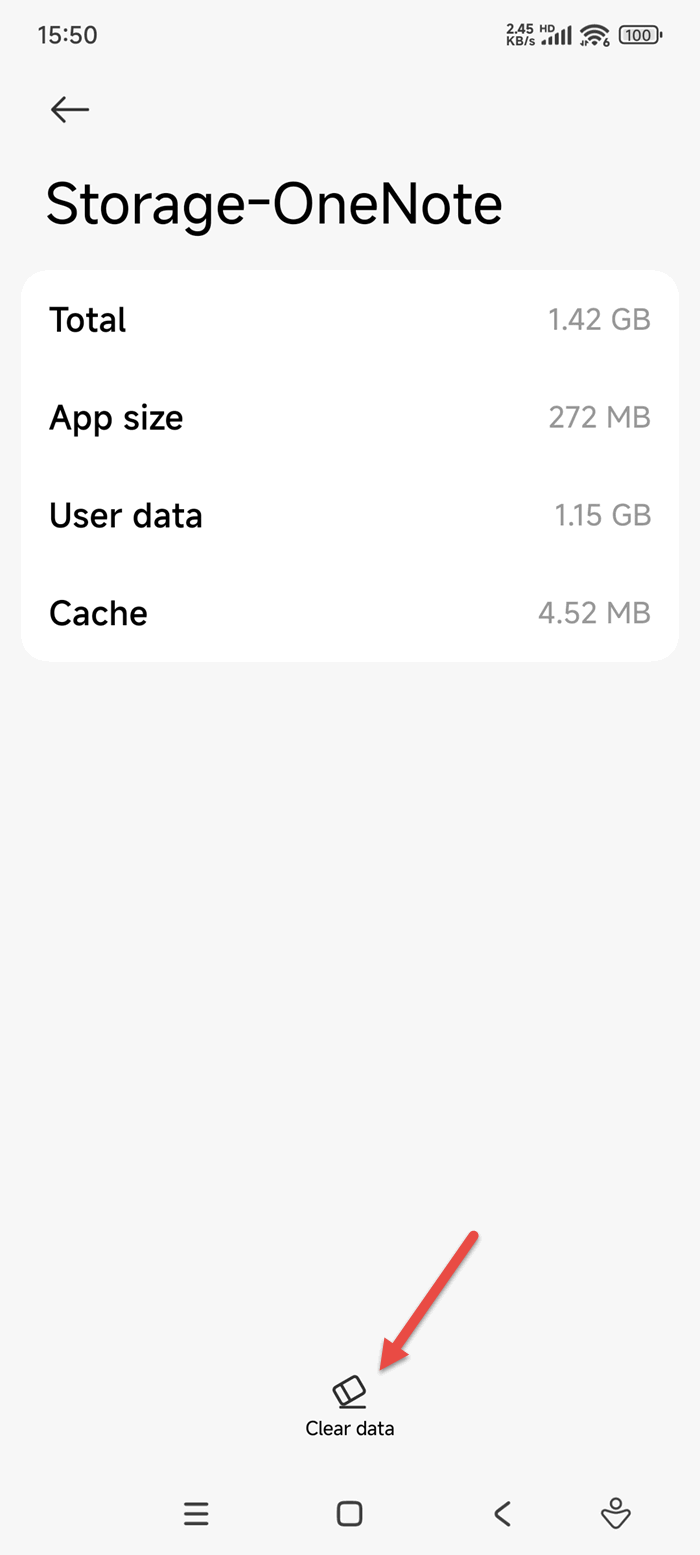
3. After entering the storage usage interface,
You can see data:
- Total usage.
- App Size.
- User data.
- Cache.