How to Set OneNote (Desktop) as the Default Printer for Windows?
The default Windows printer can be set in Windows Settings.
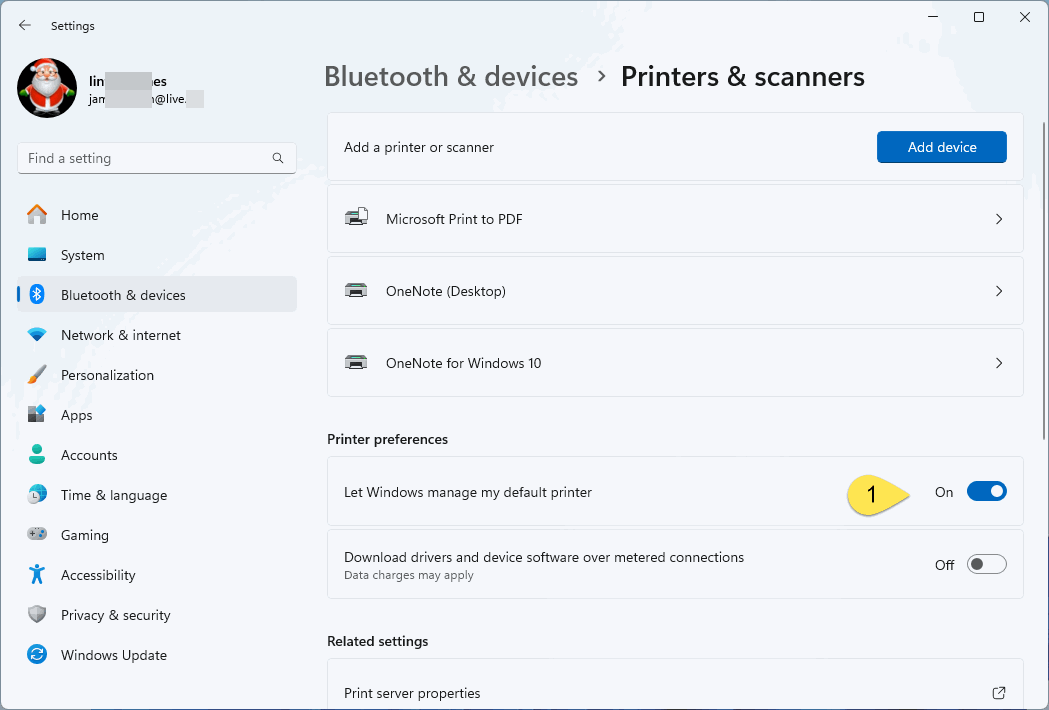
1. Disable "Let Windows manage my default printer"
When go to Windows Settings -> Bluetooth & devices -> Printer & scanners, we found that it didn't show which printer is the default printer.
This is because the option "Let Windows manage default printer" is enabled.
So you need to turn off "Let Windows manage default printer" at first.