Office OneNote: It looks like you don't have permission to edit this notebook. Contact the notebook owner to request access
Question:
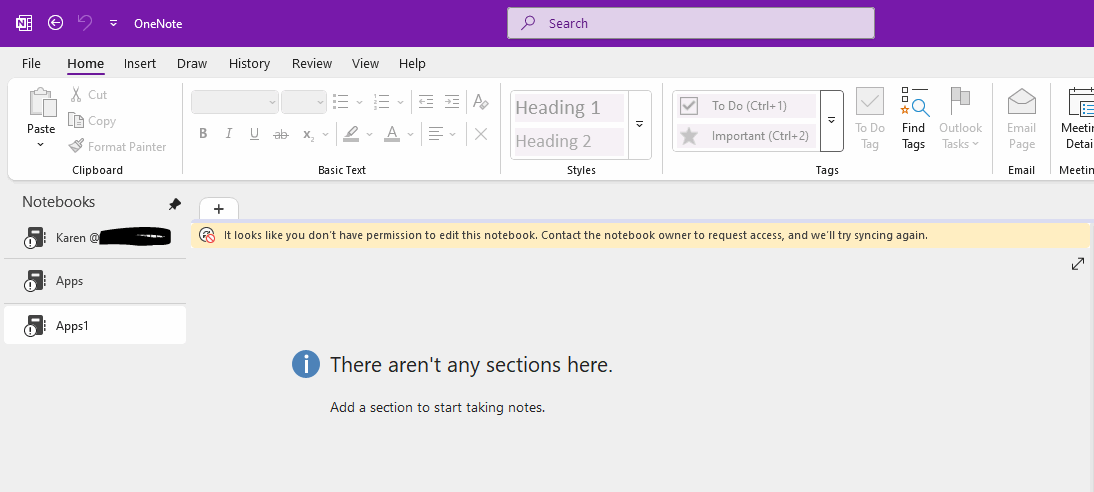
My Windows Office OneNote have recently been unable to be edited. A banner keeps displaying in the window:
It looks like you don't have permission to edit this notebook. Contact the notebook owner to request access, and we'll try syncing again.
What if should this problem be solved?
Inspection:
You can use the "Notebook Information" menu item in OneNote Batch Cloud to check whether the OneNote shared notebook was created by you.
Open Notebook Information
- Download and Install OneNote Batch Cloud in Windows.
- Sign-in your Microsoft account in OneNote Batch Cloud
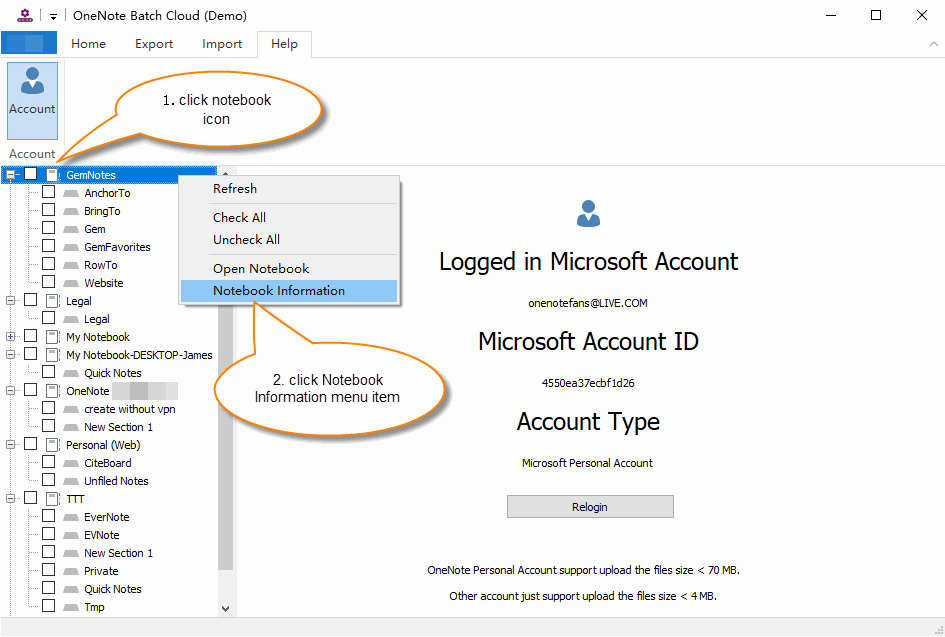
- Then, in the left side of OneNote Batch Cloud's notebook tree, click the notebook icon to select the notebook (the icon with the people indicates a notebook shared by multiple users).
- Then, right-click, and the right-click menu will pop up. Click the "Notebook Information" menu item.
Compare Information between Your Account and the Notebook Creator Account
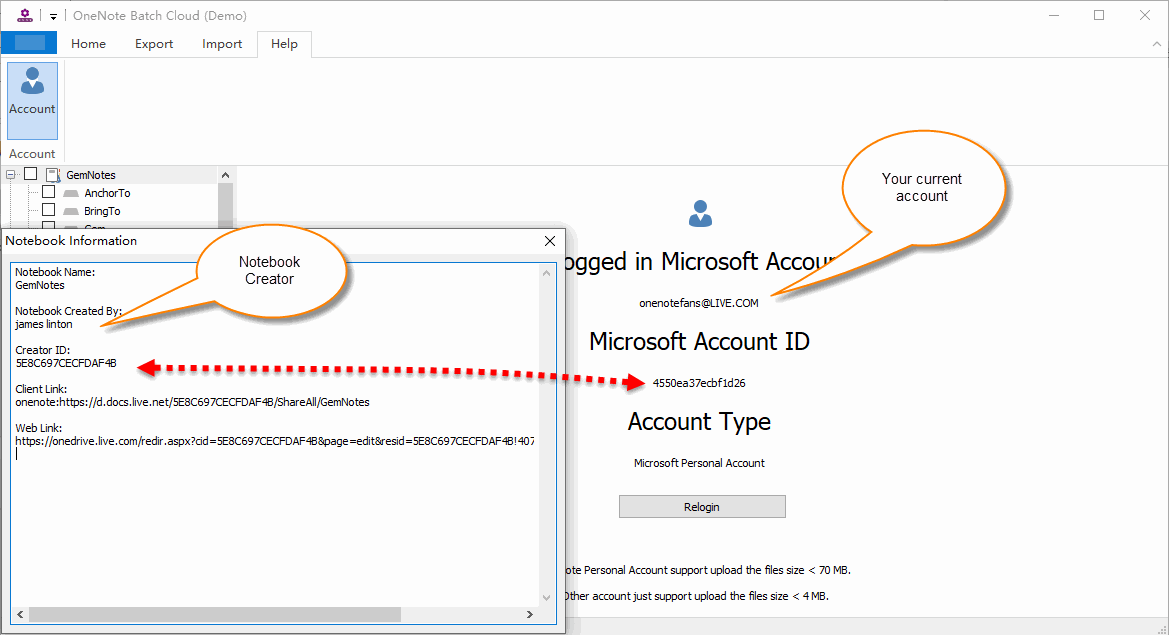
You can compare the account information in the "Notebook Information" window with the account you are currently logged into OneNote Batch Cloud:
|
|
OneNote Batch Cloud |
Notebook |
|
Account |
onenotefans@live.com |
James linton |
|
Account ID |
4550ea37ecbfd26 |
5ebc697cecfdaf4b |
Obviously, the GemNotes notebook was not created by your Microsoft account.
This notebook was created by other account and then shared with you for use.
Solution:
Case 1:
If the OneNote notebook was not created by your account, you need to contact that user and grant editing permissions to continue editing the notebook.
Case 2:
If it's a notebook created by your account. There is a situation where your account may have been unused for a long time and has been frozen by Microsoft. You need to access onedrive.com in browser to unfreeze your account.